











EDITLATEX
Optimize your LaTeX documents effortlessly with EditLaTeX's intuitive editing solutions
EditLaTeX revolutionizes LaTeX document editing with its advanced web-based platform, combining cutting-edge technologies to deliver unparalleled efficiency and accuracy. Designed for scientific and academic content, EditLaTeX integrates NLP, APIs, reference validation, and ML with XML output to enhance the editing experience.
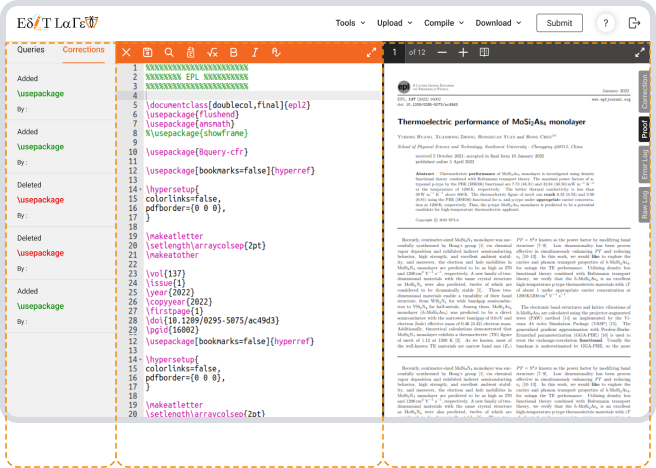
Online LaTeX edit
Web-based editing and typesetting platform designed for LaTeX documents.

Queries & Corrections
The first pane lists queries that need attention

Editing Window
The second pane in native TeX file and also your editing window

PDF Viewer
Third pane generates pdf on the fly, displaying your changes
Comprehensive overview of EditLaTeX
User advantages

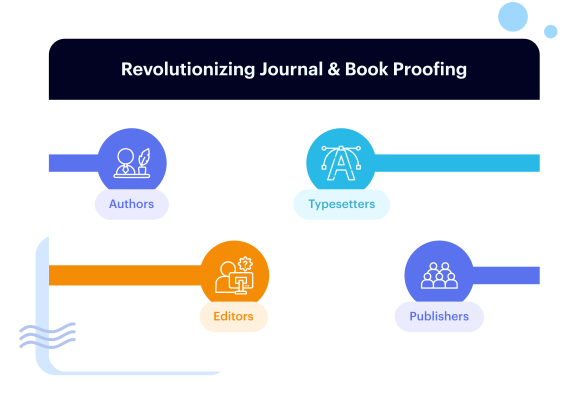
Our new EditLaTeX platform was developed to provide our authors, typesetters, editors and publishers a hassle-free journal and book proofing process. EditLaTeX was built considering prior experiences authors have with working on TeX
The platform aims to better the experience authors have with TeX by letting them work directly on the codes as opposed to just the rendered view
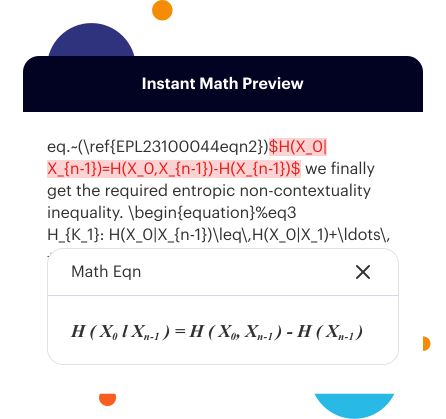
EditLaTeX is programmed to render math formulas with MathJax when viewed but it also performs edits as LaTex code.
While it executes all these functions, we have made sure that all text is edited like it is done on any text editing software - to offer our users ease of use
The functioning of EditLaTeX
EditLaTeX displays math code instantly without compilation—just select the code to view updates.
The editing pane does a great job when it comes to tracking your changes and revisions, with the Track Change option
This is akin to the option seen on Microsoft Word and is designed to help everybody involved keep track of progress
EditLaTeX is also very intuitive when it comes to being mindful of publishing requirements
The system automatically validates all queries and responses, so that it can schedule alerts if anything is left unattended
This feature streamlines the process by linking PDF, LaTeX, and queries making all relevant content accessible with a single click.
Understanding publisher needs and limitations
We understand EditLaTeX is new to many existing typesetting vendors. To simplify adoption, we've added a feature allowing vendors to upload files to our cloud we'll generate and return an AWS link for easy access.
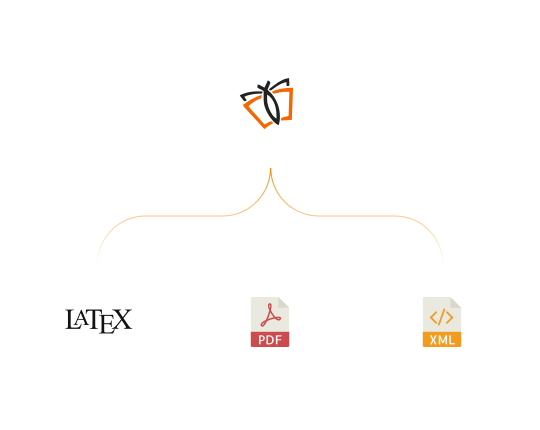
Once the author submits the file, our systems will validate and send back the LaTeX, PDF, XML, Query Response, list of Corrections, Attachments and anything else that is needed for your journals/books
Our objective as always is to give our clients a worry-free experience, and so even if the typesetter does not work with XML workflow, we have added the option of included the generation of XML in our package
EDITLATEX key features
Natural Language Processing (NLP)
EditLaTeX employs NLP to analyze and enhance text, providing context-aware suggestions and improving overall readability.
Seamless API Integration
Integrate EditLaTeX with other systems and tools via APIs. This feature enables smooth data exchange, allowing for a more cohesive workflow and compatibility with your existing software and platforms.
Automated Reference Validation
EditLaTeX automatically validates references and citations against major academic databases. Ensure accuracy and compliance with your chosen citation style, whether it’s APA, Chicago, AMA, or another format, without manual intervention.
Machine Learning (ML) Enhancement
Utilize Machine Learning (ML) algorithms to continually improve editing performance. EditLaTeX learns from user interactions and document types to provide increasingly accurate and tailored editing suggestions over time.
XML Output Compatibility
EditLaTeX ensures that your LaTeX documents are converted to XML with precision, supporting a variety of digital formats and applications.
Real-Time Collaboration
Collaborate with team members in real-time, making simultaneous edits and viewing changes as they happen. EditLaTeX’s collaboration tools streamline teamwork and ensure a unified approach to document editing.
Advanced Typesetting
Manage complex formatting, including mathematical equations and scientific notations, with ease. EditLaTeX’s advanced typesetting capabilities ensure that all elements of your document adhere to professional standards.
Customizable Templates
Access a range of customizable templates designed for various document types. These templates help you start quickly and maintain consistency throughout your document.